
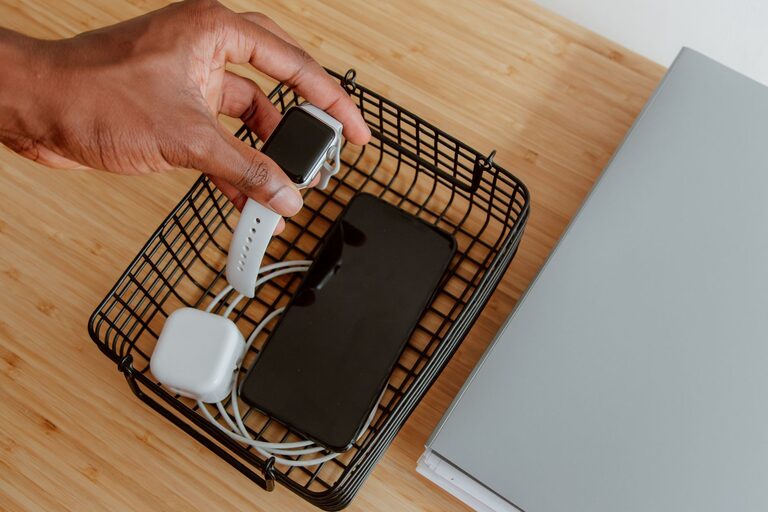
Setting up a dedicated charging station for your devices is a great way to keep your home organized and ensure that all your gadgets stay powered up and ready to go. Whether you have smartphones, tablets, smartwatches, or wireless earbuds, a well-planned charging station can reduce clutter and make daily charging hassle-free. This guide will walk you through the steps to create a practical and tidy charging area in your home.
Why Set Up a Charging Station?
In most households, multiple devices require charging regularly, often scattered around the living room, kitchen, or bedrooms. This can lead to tangled cables, misplaced chargers, and even devices running out of battery unexpectedly. A charging station centralizes the process, making it easier to keep track of your gadgets and cables, while enhancing the look of your space.
What You Need to Create a Charging Station
Before you start, gather some essential items to ensure your charging station is functional and safe:
– Power strip or surge protector: Choose one with multiple outlets to plug in several chargers.
– Charging cables: For all your devices. Consider extra-long cables if the station is far from outlets.
– Charging hubs or multi-port USB chargers: These consolidate multiple USB ports into one device.
– Cable organizers: Clips, ties, or boxes to keep cords neat.
– Storage trays or shelves: To hold devices while charging.
– Labeling supplies (optional): To mark chargers or device spots, especially helpful for families.
Step-by-Step Guide to Setting Up Your Charging Station
1. Choose the Location
Pick a spot that is:
– Close to a power outlet
– Easily accessible for everyone who needs to charge devices
– Visible and in a low-traffic area to avoid accidental damage
Common places include a desk, side table, entryway console, or a dedicated shelf.
2. Pick the Right Power Source
Use a quality power strip or surge protector with enough outlets to cover all your devices. Surge protection guards your electronics from voltage spikes. If you have many USB-powered gadgets, a multi-port USB charger can reduce the number of adapters plugged in.
3. Organize Charging Cables
Tangled cables are a common source of frustration. Here are some tips to manage them:
– Use cable clips or holders to keep cables aligned and easy to grab.
– Consider a charging station box with cable openings to hide excess wire length.
– Velcro cable ties or twist ties can bundle unused cable length neatly.
– Label the cables if you share the space with family or roommates to keep track.
4. Arrange Device Holding Areas
Place trays, baskets, or small shelves near the power source where devices can rest while charging. Choose storage with compartments to keep devices separated and prevent scratches.
For smartphones and tablets, angled holders or stands improve visibility and accessibility during charging. If you use wireless chargers, position them on flat surfaces with enough space around to avoid interference.
5. Keep Safety in Mind
– Avoid overloading power strips; check the maximum wattage.
– Use chargers and cables from reputable brands, preferably original equipment.
– Keep liquids away from the charging area.
– Ensure adequate ventilation to prevent overheating, especially if charging multiple devices at once.
6. Personalize Your Station
Make your charging station inviting and easy to use:
– Add labels for charging spots or cables.
– Decorate with a small plant or photo frame nearby to blend into your room’s decor.
– Choose storage solutions that match your style, such as wooden trays or colorful bins.
Additional Tips for an Efficient Charging Station
– Set charging schedules: Encourage charging devices during specific times, like overnight, to avoid constant charging that can shorten battery life.
– Keep spare chargers: Store extra charging cables in the station for guests or emergencies.
– Check cables regularly: Replace damaged or worn cables to prevent hazards or slow charging.
– Consider wireless chargers: For a clutter-free look, include wireless charging pads or stands compatible with your devices.
Conclusion
Creating a charging station for your devices is a simple project that brings order and convenience to your daily routine. With the right setup, you reduce cable clutter, safeguard your gadgets, and ensure your devices are always charged and ready when you need them. Start by choosing a spot, organizing your cables, and adding charging hubs, then personalize the space to make it work best for you and your household.