
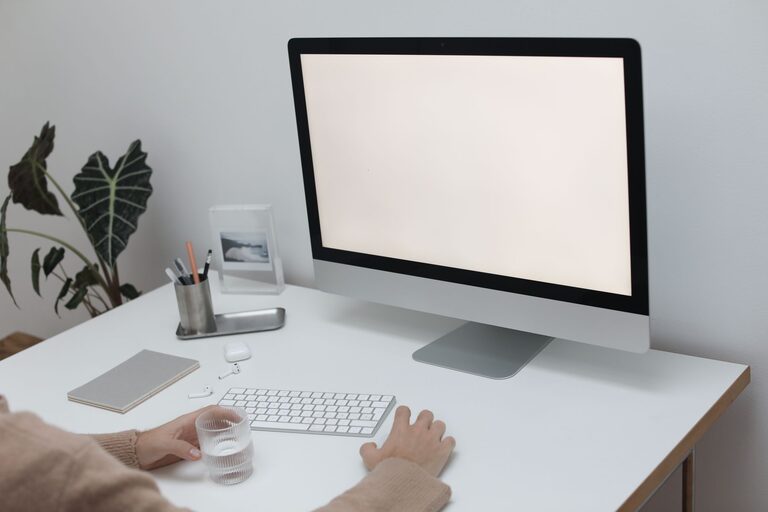
Creating a comfortable and inviting workspace can make a big difference in your productivity and mood throughout the day. However, when time is limited, a full redesign or deep clean can feel overwhelming. The good news is that with just ten minutes, you can refresh your workspace efficiently and enjoyably. This guide will walk you through easy steps to brighten your area, organize your essentials, and create a more inspiring environment fast.
Why Refresh Your Workspace?
A cluttered or uninspiring workspace can drain your energy and focus. Even a small change often sparks creativity and motivation. Refreshing your space regularly helps you feel more organized and ready to tackle tasks. Plus, it promotes better work habits and personal well-being.
The Ten-Minute Workspace Refresh Plan
Here’s a simple, step-by-step approach you can follow to renew your workspace quickly. Grab a timer and let’s get started!
Minute 1-2: Clear Off Your Desk
Begin by removing everything from your desk surface. This includes papers, gadgets, and personal items. Having a clear workspace reduces distractions and gives you a fresh starting point.
– Quickly sort items into three piles: things to keep on your desk, things to put away, and trash/recycling.
– Toss any obvious trash like old receipts, used sticky notes, or broken pens.
Minute 3-4: Wipe Down the Surface
Use a damp cloth or a disinfecting wipe to clean your desk surface, keyboard, and mouse. Dust and germs can accumulate over time, so this quick step boosts hygiene and creates a pleasant work area.
Minute 5: Organize Essentials
Bring back only the items you need daily:
– Place your computer or laptop front and center.
– Set up a pen holder or small container with writing tools.
– Keep a notepad or planner within reach.
– Arrange any frequently used devices like your phone or calculator neatly.
Minute 6-7: Add a Touch of Nature or Personality
A small plant or a favorite photo can instantly brighten your space and boost mood.
– If you don’t have a plant, consider a low-maintenance option like a succulent.
– Alternatively, place a framed photo or a motivational quote where you can see it easily.
Minute 8: Manage Cables and Chargers
Untangle and arrange cables to prevent a messy look:
– Use cable clips, ties, or even twist ties to group cords neatly.
– Position chargers in a way that’s out of the way but accessible.
This helps keep the space looking tidy and reduces stress caused by clutter.
Minute 9: Adjust Lighting
Good lighting is key to reducing eye strain and enhancing focus.
– Position your lamp or adjust your blinds to get natural light.
– If your lighting feels dull, swap bulbs for brighter or warmer tones.
Minute 10: Final Touches and Sit Down
Take a deep breath and review your refreshed workspace. Add any last-minute items like a water bottle or a small desk organizer if it fits.
Sit down, stretch a bit, and enjoy the renewed energy your refreshed workspace provides.
Bonus Tips for Maintaining a Fresh Workspace
– Dedicate five minutes at the end of each day to tidy up.
– Limit personal items to a few meaningful pieces to avoid clutter.
– Keep a small trash bin nearby to conveniently toss waste.
– Rotate plants or decorations occasionally to keep things feeling new.
Conclusion
Refreshing your workspace in just ten minutes is doable and rewarding. By clearing clutter, cleaning surfaces, organizing essentials, and adding personal touches, you create a more inviting and productive environment. Try this quick routine regularly to maintain a workspace that supports your best work every day.